

Based on 40+ face to face interviews with LPs, countless hours in concentrated liquidity forums (shoutout to DeFi Dojo), and our own experiences with LPing on V3, Aperture has come up with 4 core features for our upcoming private beta launch.
** If you still haven’t signed up for the incentivized private beta please do so here. For more information on the incentives/airdrop check out our previous Medium article. **
- Automated Rebalance (Move Range)
- Prescheduled Position Closure (Range Order)
- Auto-Compounding
- Revenue Earning Limit Orders
Today we will go through the UI and show you how to use all four!
1. Automated Rebalance (Move Range)
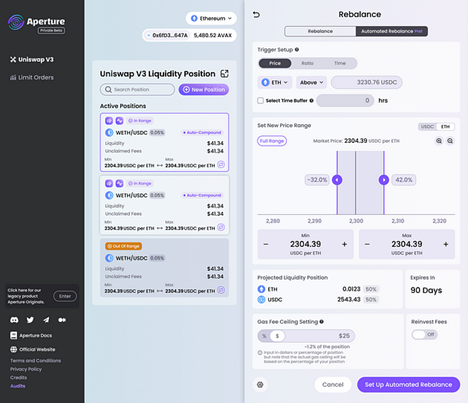

High level: You can setup rebalance triggers based on pricing, pool ratio, and time. You can also select a time buffer for pricing or ratio based triggers.
Value Add: In order to rebalance you would need to manually pull liquidity, calculate the desired amount to swap, swap the desired amount, and then re-add the liquidity to a new position. Aperture collapses all of this into one step and does the calculation for you so that there are no leftover tokens.
Example: If ETH rises to $2,300 then rebalance my ETH-USDC position back to 50–50.
Steps:
- Connect your wallet and create a position on Aperture or select the position (NFT) you wish to setup a rebalance for.
- Setup the rebalance parameters for your position. You can toggle between three different triggers: price, ratio, or time. For price and ratio you can also include a time buffer.
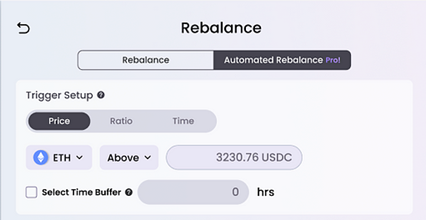

Price: rebalance when ASSET is ABOVE/BELOW a PRICE POINT
Ratio: rebalance when a RATIO is achieved
Time: rebalance on a prescheduled DATE
Time Buffer:
After you choose the Trigger Setup you can select a “time buffer” if you happened to choose Price or Ratio based triggers. By checking the box you will ensure that your trigger only happens when the price or ratio has been hit for a predetermined number of hours. This allows the position to “breathe” or revert to the mean if the price/ratio condition is only temporary or comes from a flash movement in pricing.
- Choose the desired asset ratio and tick range for the new liquidity position you want after a rebalance has been triggered.
- For ticks you can toggle between either asset (similar to Uniswap front-end).
- Aperture will show the projected liquidity after rebalance in the “Projected Liquidity Position” section.
- Triggers will auto expire after 90 days
- Set up a Gas Fee Ceiling by choosing the max amount of gas you are willing to pay in either percentage of position or dollar value terms. Note: if you input in dollars we will convert this to a percentage of position amount which is what the trigger will ultimately be based on
- If you select “Reinvest Fees” this will compound any unclaimed fees (revenue) into the new projected liquidity position
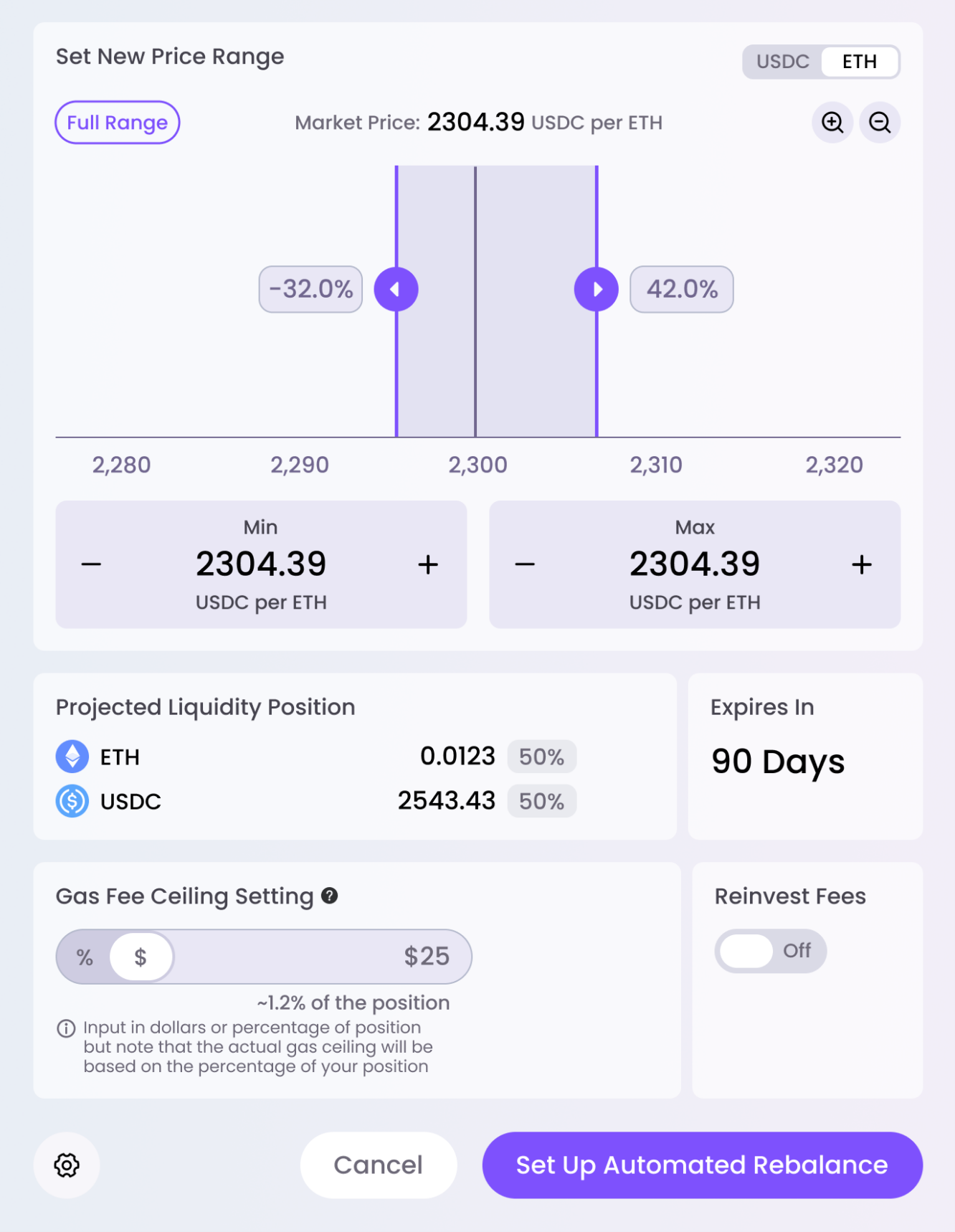

- Click “Set Up Automated Rebalance”
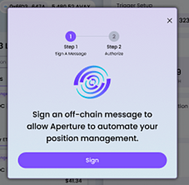
Aperture will ask you to sign an off-chain message to enable our smart contract to rebalance your position based on the parameters you chose.

2. Prescheduled Position Closure (Range Orders)
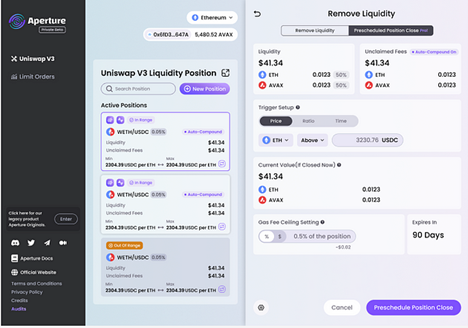

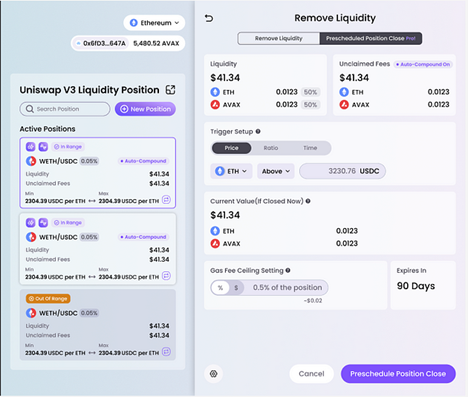
High level: You can setup position closure triggers based on pricing, pool ratio, and time. You can also select a time buffer for pricing or ratio based triggers.
Value Add: Aperture allows you to close out your position based on a price or ratio trigger without needing to constantly monitor market prices. This is particularly useful for users who like to use UniV3 LP positions to execute range orders!
Example: If my ETH-USDC position becomes 100% ETH then close out my ETH-USDC position and return all the ETH to my wallet.
- Select the NFT / active position you wish to create a prescheduled close for. You can find Prescheduled Close under advanced tools

- Similar to Automated Rebalance you can now choose a Trigger Setup based on Price, Ratio, or Time.

You will also choose a Gas Fee Ceiling based on percentage of position or a dollar amount (which we convert back into a percentage of position).

3. Auto Compound
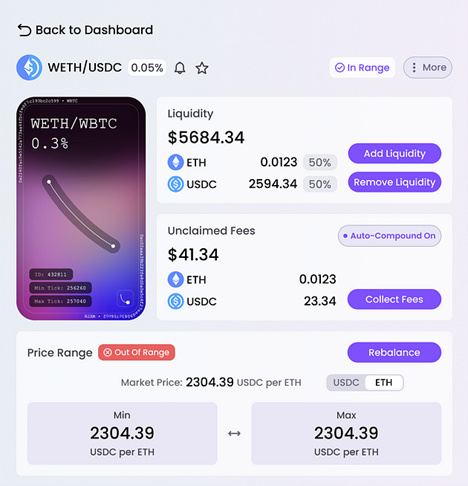

High level: You can setup auto-compounding to reinvest your fees back into your position for compounded returns.
Value Add: Aperture will auto-compound your position at an optimal interval based on fees earned vs. gas costs for rebalancing. Aperture also performs the perfect swap required to ensure 100% of your fees make it back into the position. If you’ve ever attempted to manually compound fees you’ll know that you can’t simply zap them back into the position at the perfect ratio — you must first swap some of the fees to get the perfect ratio needed. Aperture takes care of this for you.
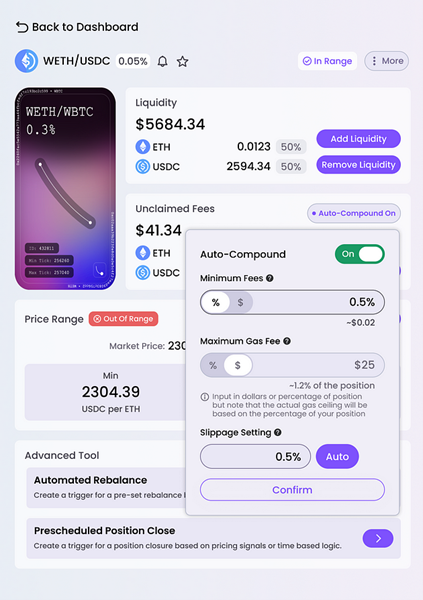
Example: Auto-compound WETH-USDC fees whenever the total unclaimed fee revenue is greater than $250 and gas is less than $50.
- Click on the position you wish to turn on auto-compounding for and locate the Auto-Compound button in the “Unclaimed Fees” section.
- Toggle the Auto-Compound button on and input the minimum fee amount and maximum gas amount in dollars or percentage of position.
- Click the “Auto” button!

4. Revenue Earning Limit Orders
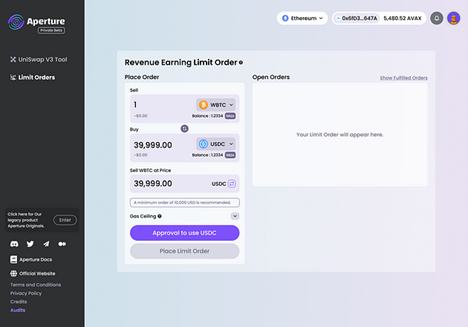

Value Add: Aperture has created an easy and intuitive interface to place limit orders on UniV3. For many users this process is difficult to replicate manually because asset prices can swing back and forth across a particular tick before one has the chance to manually close the position. Aperture automatically closes the position once your starting asset has been 100% converted to your desired asset. Users will earn a minimum 0.3% in fee revenue in addition to zero slippage.
Example: Swap (sell) WBTC for USDC when WBTC price is greater than $39,999.
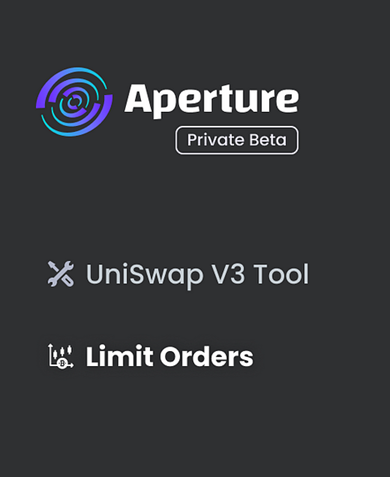
- On the left hand side of the web app select “Limit Orders”
- Select the asset you wish to swap from (sell) and the asset you wish to swap to (buy). Then choose the price you wish to sell at. Then select a gas ceiling in dollars or percentage of order.
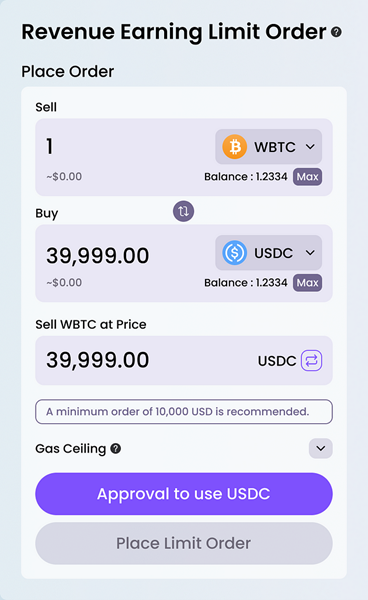
- You will need to approve the usage of these tokens by Uniswap if you have not done so already.
- Next, click “Place Limit Order”!
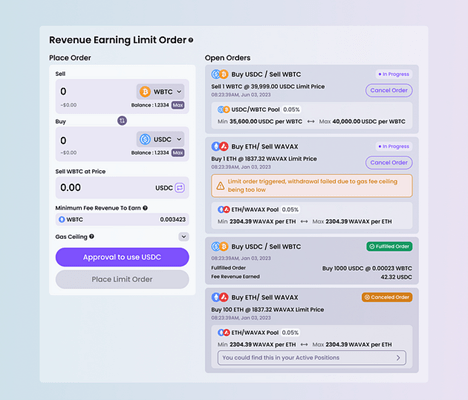
- Now you can monitor the status of your open orders from the Limit Order section in the web app.



About ViaBTC Capital
ViaBTC Capital, a wholly-owned investment brand under ViaBTC Group, focuses on investment in Web 3.0, Layer 2 and DApps combining DeFi, NFT or DAO elements.
Relying on ViaBTC Group’s cutting-edge views, solid capabilities and comprehensive resources, ViaBTC Capital aims to become one of the preferred capital for start-ups and creative implementation in the blockchain world.
Website: https://capital.viabtc.com/
Twitter: https://twitter.com/ViabtcCapital