



In this Crypto.com review, we dove in like a real user – signing up, completing KYC, securing the account, funding it, and making trades – to see what really works and what feels costly. If you’ve been curious about Crypto.com, you probably want to know: is it safe? Is it worth your time and money?
After testing it hands-on, here’s the honest answer: Crypto.com offers a sleek, mobile-first experience with a wide range of features. You get spot trading, earn-style yield options, a Visa card, and even access to an NFT marketplace. But the real story is in the details – how fees are structured, what restrictions apply in certain US states, and how much control you have over your crypto security.
This review cuts through the noise. We break down the key features, explain costs clearly, and highlight where Crypto.com excels and where it can feel overwhelming. Plus, we compare it to other major crypto exchanges so you can judge whether it fits your trading style, risk appetite, and long-term crypto goals.
Crypto.com Exchange Pros And Cons
Based on our hands-on testing, these are the main pros and cons we noticed during onboarding, funding, trading, and withdrawals. This section works as a quick crypto.com wallet review too, because we focused on everyday use like moving funds, managing withdrawals, and checking basic security controls, not advanced or niche trading features.
What We Liked
- Mobile first app makes buying, selling, and tracking crypto quick and smooth.
- Large coin selection and trading pairs cover most mainstream needs, plus some niche assets.
- Security tools include 2FA, anti phishing codes, and withdrawal whitelists for added protection.
- Staking and Earn products offer ways to put idle balances to work inside the ecosystem.
- Bank transfer options like ACH can be convenient for eligible US users funding via a bank account.
What We Didn’t Like
- Withdrawal fees and network costs can stack up, especially on small balances and frequent transfers.
- Features and availability vary by region, including restrictions in parts of the US and New York.
- Support response times can be slow during peak demand, which is frustrating when accounts are restricted.
- The interface can feel cluttered if you only want simple spot trading and nothing else.
Crypto.com is best for mobile focused users who want one app for trading plus extra products like staking and Earn.
What Is Crypto.com?
What is Crypto.com? It is a crypto platform founded in 2016 that combines a mobile app, a separate exchange experience, and an onchain wallet, plus extras like a card and earn style rewards.
 The key thing to understand is that Crypto.com is not just one product. You will usually see three core pieces that serve different user needs:
- Crypto.com App (custodial): The mainstream mobile app for buy crypto, sell, swapping, holding, and using features like cards and crypto earn style products. In a custodial setup, the platform holds the private keys for in app balances.
- Crypto.com Onchain Wallet (self custody): A separate crypto wallet where you control your private keys. You can use it without a Crypto.com account, and it is designed for onchain activity and decentralized finance, including moving funds to an external wallet and interacting with DeFi apps.
- Crypto.com Exchange (advanced trading): A more trading focused experience aimed at advanced traders who want a deeper exchange style interface compared with simple in app buys.
Beyond those core products, Crypto.com has expanded into a wider ecosystem. Depending on region, this can include Visa card programs, staking and rewards tied to CRO tokens, NFTs, and Cronos chain support. That mix is one reason it competes with other trading platforms that only do spot buying and selling.
Is Crypto.com Safe?
Yes, Crypto.com is generally safe to use if you treat it like any centralized cryptocurrency platform: use strong account security, understand the custody tradeoff, and avoid keeping more funds on an exchange than you need. Some users also search “is crypto.cm safe to use”, which is usually just a typo for Crypto.com.
 In terms of track record, it has experienced a notable security incident, but it also published a detailed post-incident report and has continued adding security controls and compliance certifications over time.
Company history and track record
In January 2022, Crypto.com confirmed unauthorized withdrawals affecting 483 users. Some external reports later estimated losses at roughly $30M+ based on token prices around that time. Crypto.com stated affected users were reimbursed and published a follow-up security report outlining changes made after the incident. This context matters because when people ask about safer crypto exchanges, they usually mean a mix of incident history, response quality, and current controls.
Security controls that matter day to day
From a user perspective, Crypto.com is considered secure mainly because it supports standard account and withdrawal protections you want on a custodial platform, especially if you plan to deposit funds and trade frequently:
- 2FA and multi-factor account protection for logins and sensitive actions
- Anti-phishing codes to help you verify official emails
- Withdrawal address whitelisting, which limits withdrawals to approved addresses (and can add extra friction before new addresses can withdraw)
- Cold wallet storage for a large share of customer assets, reducing online exposure compared to hot wallets
- Derivatives insurance fund (Exchange), which is typically tied to specific leveraged/derivatives mechanics and has product and region-specific rules, not a blanket deposit insurance for all users
Crypto.com also publishes security and cybersecurity statements, and it says it uses encryption and standard security controls to protect user data. These controls reduce risk, but they do not eliminate it, so user-side precautions still matter. Crypto.com also highlights compliance and security milestones such as SOC 2 Type II and PCI DSS v4.0 for payment security. These are not a magic shield, but they are signals many users associate with stronger internal controls and better operational discipline.
Privacy policy and data handling
Because Crypto.com operates like a compliance-focused platform, it collects personal data for onboarding, account security, fraud prevention, and regulatory requirements. Its privacy notices explain what data is collected, how it is used, and what rights users may have, and the details can vary by region and product. If privacy is a key concern, review the privacy notice that matches your jurisdiction before signing up.
KYC and compliance
KYC is mandatory. During registration, Crypto.com typically requires identity verification using a government-issued ID and a selfie. In practice, you usually cannot access core exchange features until verification is completed, and higher limits or additional products may require additional checks depending on your region. On the compliance side, platforms like this also implement AML controls, including transaction monitoring and screening, and they may be required to file suspicious activity reports with relevant authorities where applicable.
This is one reason many users view the platform as legitimate, but it also means it is not a fit if you want a no-KYC experience. On the broader regulatory side, the US environment involves multiple agencies and frameworks, and users often hear names like the Commodity Futures Trading Commission when derivatives trading is discussed. The key point is that you should treat compliance as region-specific and always confirm what products the platform supports where you live before you rely on a feature.
Transparency and Proof of Reserves
Crypto.com publishes a Proof of Reserves process that uses Merkle tree-based verification and has been released with third-party attestation in the past. It is still worth remembering that Proof of Reserves is not the same as a full financial audit, and the industry has debated how much assurance these reports provide on their own, especially during fast market moves.
Key Features of Crypto.com Platform
In this section, we focus on the features you will actually use day to day, not just a checklist. In our testing, we walked through the core flows like navigation, funding, basic buying, and the exchange style trading screens to see what feels smooth and where users may hit friction.
 We also noted how consistently the interface behaves across devices so users know what to expect on both mobile and web. This Crypto.com review highlights those day to day usability details that can make or break the experience.
Crypto.com App for simple buying, selling, and portfolio tracking
In our testing, we used the app for the most common daily actions: checking balances, finding the Buy button, viewing a coin’s chart, and making a small purchase to confirm the flow. We were pleased with how quickly we could move from the portfolio view to the buy and sell screen without getting lost.
- How it works: The main app is built around quick actions like buy, sell, swap, and portfolio tracking, with core buttons accessible from the main navigation.
- Benefit: Beginner friendly layout with fast access to common actions like buying crypto and simple swaps.
- Downside: If your goal is strictly buy and hold, the app can feel busy because there are many menus and add ons competing for attention.
Crypto.com Exchange for more active trading
For more active trading, we moved from the main app experience to the exchange style interface to check trading pairs and use the order panel. Compared to a one tap purchase flow, this area feels closer to a traditional exchange once you know where things are.
- How it works: You choose a trading pair, select an order type, enter size, and place trades through the exchange interface rather than the simple buy screen.
- Benefit: Better suited to frequent traders, with a more trading focused layout and tools than a basic purchase flow.
- Downside: The learning curve is higher than the app, and some features or availability can depend on region.
Split experience between App, Exchange, and onchain Wallet
In our walkthrough, the main friction point was learning where each function lives, because Crypto.com splits experiences between the main app, exchange screens, and the onchain wallet. Once we understood the boundaries, it became manageable, but first time users may open the wrong area when looking for a specific feature.
- How it works: Basic actions sit in the main app, advanced trading lives in the exchange interface, and onchain actions sit in the wallet, so you switch contexts depending on the task.
- Benefit: Clear separation once learned, simple actions vs advanced tools vs onchain.
- Downside: Extra mental overhead at the start, especially if you switch between basic buys and more advanced trading.
Crypto.com Fees – Are They Competitive?
Yes and no. Crypto.com can be competitive if you trade on the Crypto.com Exchange (maker-taker fees), but it can feel expensive if you mainly use the Crypto.com App to buy/sell instantly (where there is a separate trading fee and spreads can be noticeable). The biggest mistake is mixing these two contexts and assuming the costs are the same.
 So, treat fees as part of deciding whether Crypto.com fits your usage. In a Crypto.com review, this is one of the biggest deal breakers: a user who trades spot on the Exchange and keeps funds there will often pay far less than someone who buys in the App and then withdraws to an external wallet.
1. Spot trading fees (Crypto.com Exchange)
Crypto.com Exchange uses a maker-taker model with tiered pricing. For entry-level tiers, Crypto.com shows spot fees can start around 0.075% maker and 0.075% taker, with lower fees available at higher volume tiers and with CRO-related benefits.
2. Derivatives fees (Crypto.com Exchange, futures/perpetuals) + liquidation fee
Derivatives (futures/perpetuals) also use maker-taker pricing. Crypto.com shows derivatives fees can start around 0.017% maker and 0.034% taker, again with lower rates at higher tiers. Important: if a Forced Liquidation occurs on Crypto.com Exchange derivatives, Crypto.com states you are charged an additional 0.50% liquidation fee, and those fees are added to the Insurance Fund.
3. Margin trading fees, interest, and liquidation
Crypto.com states that margin trading fees use the existing spot trading schedule, and that liquidation orders are charged a flat 0.5% liquidation fee (noted as subject to change). Borrowing interest varies by asset and changes over time. Crypto.com explains that margin interest is calculated hourly; they even show how a daily rate can be converted into an hourly rate (daily rate divided by 24).
4. Deposits and withdrawals (fiat + crypto)
Fiat deposits: bank transfer deposit is listed as 0.00%. Fiat withdrawals (examples): common listed examples include EUR via SEPA: EUR 1.00, GBP via FPS: GBP 1.90, and USD via ACH: 0.00%. Crypto withdrawals: these are typically fixed per asset and network (not a percentage), so the cost depends heavily on which coin and chain you choose. For example, the Crypto.com App fee schedule shows a tiered BTC withdrawal fee: 0.0002 BTC for withdrawals under 0.002 BTC, and 0.0004 BTC for withdrawals of 0.002 BTC or more.
5. Buying crypto in the Crypto.com App (trading fee + card fee)
This is where Crypto.com can be less competitive for casual users. The Crypto.com App fee schedule lists a 0.8% trading fee (buy/sell/exchange). It also lists debit/credit card purchase fees as up to 4% (your bank may add its own fees on top).
6. Inactivity fees (important nuance)
Crypto.com generally is not known for an exchange inactivity fee in the usual sense, but the Crypto.com Visa Card fee schedule (Europe) lists an inactivity fee of EUR 5 per month after 12 months with no cardholder-initiated financial activity (until activity resumes). This applies to the card product, not regular spot trading.
Quick fee snapshot table (what to verify before you trade)
| Fee category | What you pay | What it depends on |
| Spot trading (Exchange) | From ~0.075% maker / 0.075% taker | 30-day volume tier, CRO benefits |
| Derivatives trading (Exchange, futures/perpetuals) | From ~0.017% maker / 0.034% taker | 30-day derivatives volume tier, CRO benefits |
| Forced liquidation (Derivatives, Exchange) | +0.50% | Forced liquidation event (added to Insurance Fund) |
| Margin trading fee | Uses spot fee schedule | Your spot tier |
| Margin liquidation | 0.5% (flat) | Liquidation orders |
| Margin interest | Variable, charged hourly | Asset-specific rate table and time borrowed |
| App trading fee (buy/sell/exchange) | 0.8% | Applies in the App flow (plus spread/slippage risk) |
| Card purchase fee (App) | Up to 4% | Payment method and region (plus issuer fees) |
| Fiat deposit (bank transfer) | 0.00% | Rail and region |
| Fiat withdrawal examples | EUR SEPA: EUR 1.00
GBP FPS: GBP 1.90 USD ACH: 0.00% |
Rail and region |
| Crypto withdrawal example (BTC) | 0.0002 BTC (< 0.002 BTC)
0.0004 BTC (>= 0.002 BTC) |
Coin + network, and sometimes tiered thresholds |
| Visa Card inactivity (Europe) | EUR 5 / month after 12 months inactivity | Applies to card balance when inactive, not exchange trading |
How Crypto.com fees compare to major alternatives (base spot)
If we compare simple starting spot fees for low-volume traders:
- Crypto.com Exchange: spot fees can start around ~0.075% maker / 0.075% taker (tier-dependent).
- Binance: VIP 0 is shown as 0.1000% / 0.1000%, with a BNB payment discount line shown as 0.075% / 0.075%.
- Bybit: non-VIP spot fees are listed as 0.1% maker / 0.1% taker.
- Kraken Pro: Kraken states fees can range from -0.02% to 0.40% depending on volume and maker/taker, with low-volume examples frequently sitting around 0.25% maker / 0.40% taker.
- Coinbase Exchange: the published base tier shows 0.40% maker and 0.60% taker.
What this means: Crypto.com Exchange spot fees look strong versus Coinbase and often cheaper than Kraken Pro for low-volume traders. Versus Binance and Bybit, it is competitive, though Binance can match 0.075% with the BNB discount. The pricier part is usually the App: 0.8% trading fee plus spread and up to 4% if you fund by card.
Practical tips to reduce what you pay on Crypto.com
- If you care about fees, do most trading on the Crypto.com Exchange rather than the App buy/sell screen (the App has a listed 0.8% trading fee).
- Use limit orders when possible, so you control execution price and reduce slippage risk (fees are only half the story).
- Avoid funding by card if you can: the schedule lists up to 4% for debit/credit card purchases.
- Before withdrawing crypto, check the exact coin and network fee. Even on the same platform, withdrawal fees can differ massively (example: BTC is tiered at 0.0002 or 0.0004 BTC depending on amount).
- If you use margin or derivatives, include liquidation costs in your plan: Crypto.com states 0.5% liquidation fee for forced liquidations on derivatives and 0.5% for margin liquidation orders.
Crypto.com Experience – Is it Easy to Use?
Yes, Crypto.com is generally easy to use, especially on mobile, but it can feel busy if you only want simple buy and hold, which is why many new users also ask is crypto.com reliable for day to day use. In our hands on review flow, the basics were straightforward, while advanced features took more tapping to learn.
 One simple way to avoid confusion is to start with just Buy, Sell, and Transfers, then explore earn and advanced tabs only after you are comfortable.
Setup and onboarding
Account creation starts fast, but real access depends on verification. Expect KYC steps using a government issued id and occasional limits until your identity is approved. This is typical for a crypto asset service provider operating under regulatory compliance expectations.
- Pros: Guided prompts and clear next steps for a new account.
- Cons: Verification can slow down first time users if documents do not match perfectly.
Interface and day to day navigation
Crypto.com’s design is mobile first and built for people who do most actions inside the app. You get a lot in one place, but the density can be a downside if you only want a clean trade screen.
- Pros: Clear portfolio view and quick access to common actions like buy crypto and transfers.
- Cons: Lots of feature tiles can feel distracting for minimalists.
Mobile vs desktop experience
The mobile app is the main product and where most users live. The exchange experience is more advanced and can feel more like a trading terminal. That split is normal for platforms that serve both casual users and advanced traders.
Getting started resources
Crypto.com has a large help center and beginner content library. These educational resources can reduce friction for first timers who need quick explanations for wallets, order types, fees, and cryptocurrency transfers.
What other users say (balanced snapshot)
User feedback is mixed and often depends on what someone is trying to do. Many positive reviews focus on convenience and breadth, while complaints tend to cluster around support speed, account restrictions, and perceived pricing differences during fast market moves.
Practical takeaway: If you mostly want a mobile first crypto exchange with a broad feature set, Crypto.com tends to feel smooth. If you are sensitive to execution price and support response time, it may feel frustrating at times.
Crypto.com vs Competition – What Are the Alternatives?
If you are weighing this crypto.com review against other big crypto exchanges, the comparison table below makes it easier to judge the best fit for your goals, fees, and feature priorities. Think of it as a shortcut: one glance can tell you which trading platforms align with your style.
| Platform | Top Choice For | Fees | Standout Features |
| Crypto.com | Mobile first users who want an all in one crypto app | Maker taker on Exchange
App admin fee may apply Deposit and withdrawal fees vary |
Strong mobile app
Earn style products Visa card ecosystem |
| OKX | Active traders who want tools plus Web3 access | Maker taker (tiered)
Deposit and withdrawal fees vary |
Advanced trading tools
Web3 tools Broad market coverage |
| Bybit | Traders who want fast execution and derivatives focus | Maker taker (tiered)
Derivatives fees apply Deposit and withdrawal fees vary |
Derivatives trading focus
Strong trading interface Frequent promos |
| Binance | Users who want deep liquidity and broad market coverage | Maker taker (tiered)
Discounts may apply Deposit and withdrawal fees vary |
High liquidity pairs
Wide feature set Large global footprint |
| KuCoin | Altcoin hunters looking for variety and new listings | Maker taker (tiered)
Discounts may apply Deposit and withdrawal fees vary |
Wide altcoin selection
Trading bots on some products Good discovery tools |
To wrap up the comparison, here is the quick takeaway on when Crypto.com makes the most sense and when it may not be the best fit.
- Key reasons to choose Crypto.com over competitors: it is often the better pick if you want a mobile first experience and like having trading plus extras in one ecosystem.
- Who should avoid it: users who want the simplest possible interface, or who are very fee sensitive on withdrawals and small balance moves.
Crypto.com Real User Reviews and Experience
Beyond our hands on use of the platform, we compared feedback on major review and community sites like Trustpilot, G2, and Reddit to see whether common experiences matched what we saw during testing.
 Overall, in our Crypto.com review the themes were broadly consistent: strong mobile usability and feature depth, with recurring complaints around support speed and occasional account friction during verification or security checks.
What users commonly praise
- The app feels polished and user friendly for everyday actions
- Good range of features in one ecosystem, including earn and card related options
- Security features are visible and easy to enable for most users
Users most commonly praise the polished, user friendly app for everyday actions, the wide feature range in one ecosystem (including earn and card options where available), and the fact that security settings are easy to find and enable.
What users commonly criticize
- Customer support can feel slow during peak demand
- Some users report friction with verification and account restrictions
- Fees can feel unpredictable if you do not check the final preview before confirming
Users most commonly criticize slow customer support during peak demand, occasional friction with verification or account restrictions, and fees that can feel unpredictable if you do not check the final preview before confirming.
Quick reputation snapshot
Based on the most common themes we saw repeated across major review and community platforms, the table below summarizes where Crypto.com tends to perform well and where users most often report friction.
| Feature | Common Positive Feedback | Common Concerns |
| User Interface | Easy to navigate, mobile first layout | Occasional bugs after updates |
| Security | Visible account protection options and security measures | Account restrictions can feel strict during checks |
| Earn and Rewards | Useful for holders who want yield style options | Rates and terms can change over time |
| Customer Support | Support is available through in app channels | Response times vary, especially during peak demand |
Summary
Taken together, external feedback supports a simple takeaway: if you are asking is crypto.com legit, most users see Crypto.com as legit and easy to use, especially on mobile, but it is not perfect. If you value an all-in-one crypto app, reviews tend to align with that strength. If you are highly sensitive to support speed or get frustrated by compliance checks, you will want to set expectations and keep your account security and verification details in order from day one.
How To Start on Crypto.com in 5 Easy Steps
In our experience, getting started on Crypto.com is quick if you follow the steps in order, especially around verification and account security. This flow is also where many users decide whether they consider the platform reliable for long term use.
1. Sign Up
Download the Crypto.com app or use the web version to create a new account with your email.
In our testing, the initial signup flow was straightforward and guided.
2. Complete KYC
Complete identity verification by submitting the requested documents. In our experience, this step often determines how quickly you can unlock full features and higher limits.
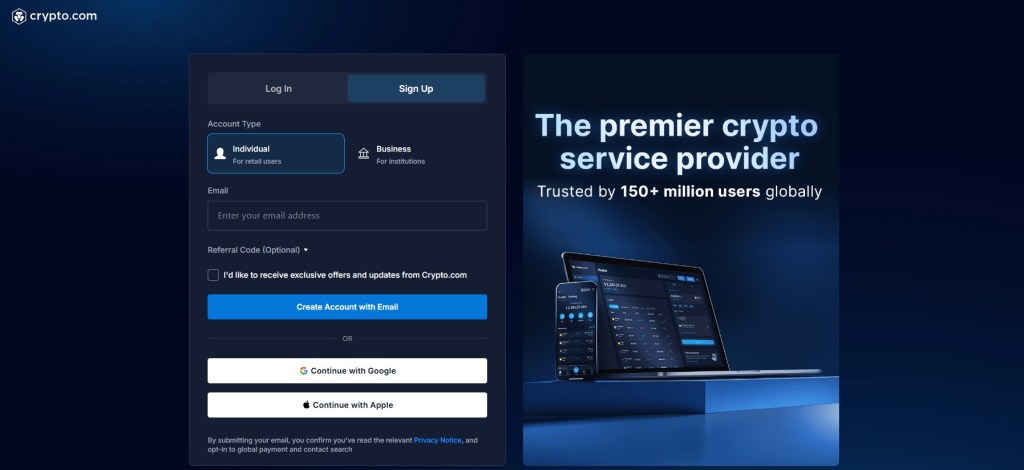
You’ll also avoid unnecessary delays later by ensuring every file you upload is clear and up to date.
3. Secure Your Account
Turn on 2FA and, if available on your device, biometric login. In our testing, enabling these protections took only a few minutes and is worth doing before you deposit funds.
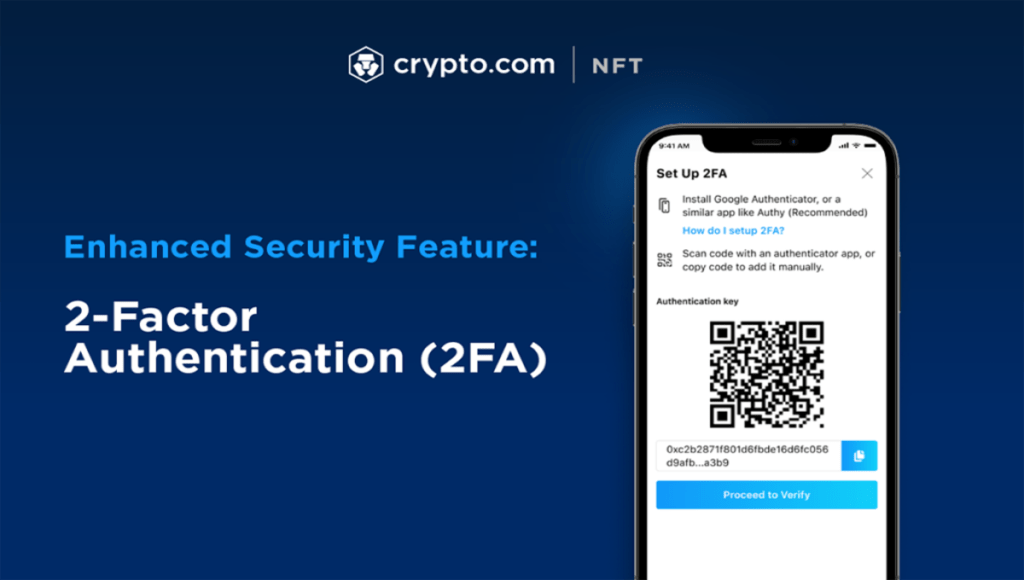 These extra steps significantly reduce the risk of unauthorized access to your account.
4. Fund Your Account
Choose a funding method available in your region, such as bank transfers or card payment options.
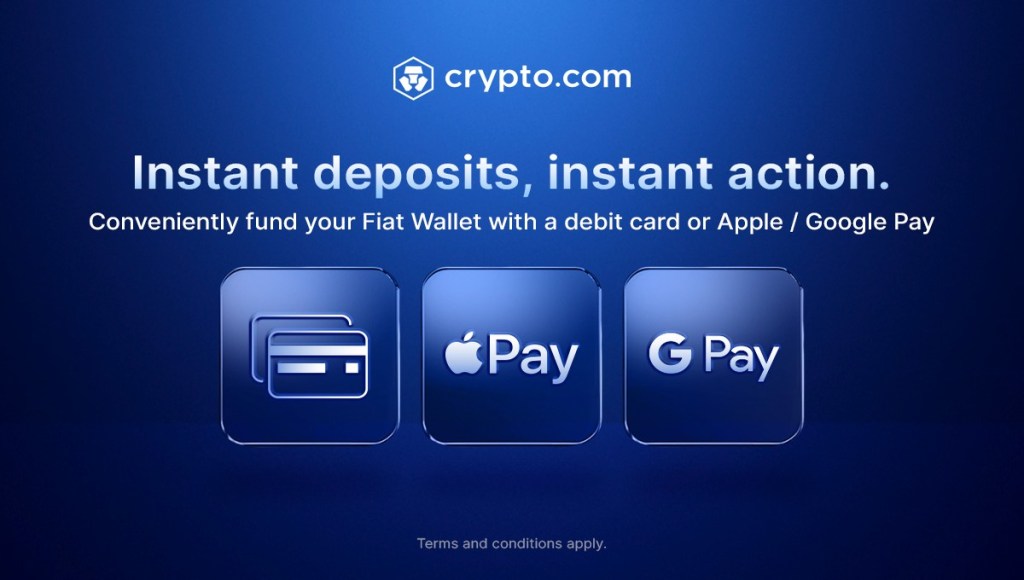 In our experience, checking fees and limits before confirming reduces surprises.
5. Start Trading
Once your funds clear, start with a small test trade. This helps you understand final pricing, fees, and the trade preview flow before you scale up.
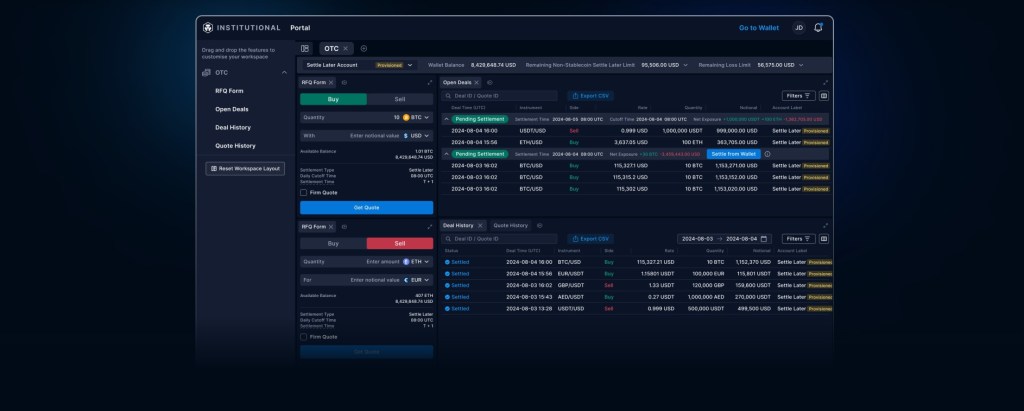 A quick test trade also lets you confirm that withdrawals and transaction updates are processing as expected.
Crypto.com Review Verdict: Is It Legit?
Yes, Crypto.com is generally viewed as legit, but it is still a centralized platform, so the right choice depends on your goals and risk tolerance. If you are asking is crypto.com secure, our Crypto.com review focused on practical factors like onboarding, navigation, and how clearly the platform shows costs and controls.
In day to day use, Crypto.com stands out for its mobile first design and broad feature set in one ecosystem, including basic trading, earn style options, and card features in supported regions. It is best for users who want an all in one app and do not mind completing KYC, while alternatives may fit better if you prioritize deep liquidity, derivatives trading, or a simpler interface.
Final note: DYOR and NFA. Crypto is volatile, and fees, terms, and regional availability can change quickly.
FAQs
1. How safe is Crypto.com?
Crypto.com uses common security features like 2FA, cold wallet storage, and withdrawal protections. In this Crypto.com review, we still note it is custodial, so your safety also depends on strong login habits and using whitelists.
2. Is Crypto.com a scam?
Crypto.com is generally considered legit and widely used, but it is not risk free. In this Crypto.com review, the main takeaway is simple: like any centralized exchange, verify fees, complete KYC carefully, and avoid sending funds to unknown addresses.
3. Can I use Crypto.com in the US?
Yes, Crypto.com is available in the US, but features can vary based on state. Always confirm what products are supported where you live, especially if you are in restricted regions.
4. Does Crypto.com have high fees?
Fees depend on how you use it. Exchange trading uses maker taker pricing, while app purchases can include an admin fee. Withdrawals vary by asset and network conditions.
