



Kraken review for 2025 matters more than ever because crypto traders face two real risks at the same time: fees that quietly eat into returns and security gaps that can put funds at risk. An exchange can look polished, but what counts is how it performs when you sign up, fund your account, execute trades, and secure withdrawals.
In this guide, you will learn what Kraken offers in 2025, who it fits best, and where it falls short. We break down key features, the trading experience on web and mobile, Kraken fees and where costs can show up depending on the product you use, plus the security controls behind the question most users ask: is Kraken safe and legit?
This review is based on hands-on testing, not marketing claims. We went through onboarding, evaluated the interface and tools, checked how fee information is shown inside the platform, and walked through account protection steps and withdrawal safeguards. We also compare Kraken with other top exchanges so you can make a practical decision based on your trading style and risk tolerance.
Kraken Exchange Pros And Cons
Based on our hands-on testing of Kraken’s web and mobile experience, these are the biggest strengths and trade-offs we noticed in day-to-day use.
What We Liked
✅ Clean, fast interface for spot trading and portfolio tracking.
✅ Strong account security settings and clear safety controls.
✅ Multiple order types and pro-grade trading tools for active users.
✅ Good liquidity on major pairs, with generally smooth execution.
✅ Reliable deposit and withdrawal flow with clear status updates.
What We Didn’t Like
❌ Fee structure can feel fragmented across products and interfaces.
❌ Some features and settings take time to find on first use.
❌ Verification requirements may slow down getting started for newcomers.
❌ Advanced tools may overwhelm users who only want simple buys.
Kraken is best for traders who value security, want serious trading tools, and do not mind spending a little time learning the platform.
What Is Kraken?
Kraken is a US-based cryptocurrency exchange (run by Payward, Inc.) that lets you buy, sell, and trade crypto through a custodial account, with features like spot markets, staking in supported regions, and derivatives access depending on where you live.
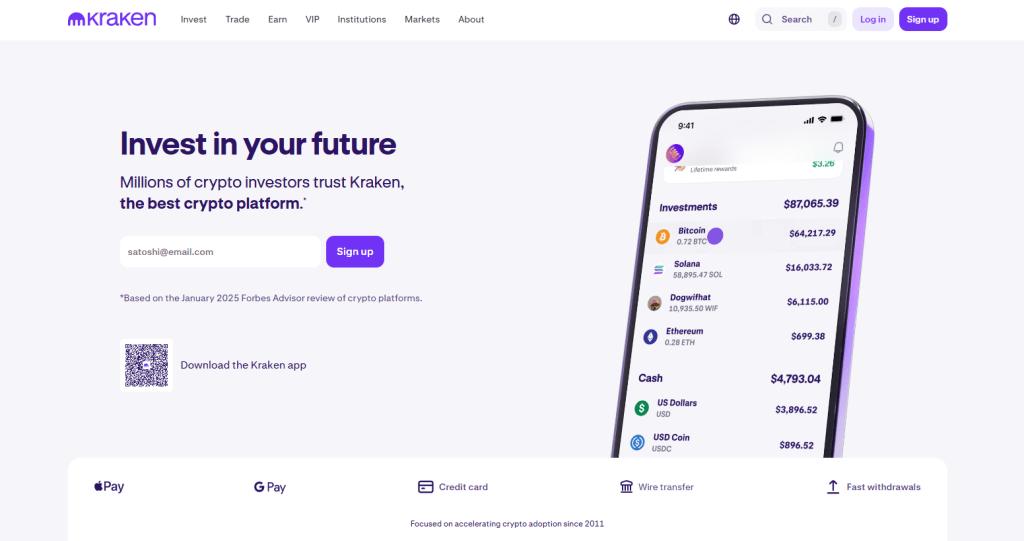 If you are wondering what is Kraken, it is best described as a custodial trading platform that also offers separate products for advanced trading and, in some regions, derivatives.
Brief history of Kraken Exchange
Kraken was founded in 2011 and launched its trading platform publicly in 2013, positioning itself early on as a more security-focused alternative to the exchanges that dominated the first wave of crypto trading. In recent years, Kraken has broadened its product lineup beyond basic spot trading, including separate experiences for advanced trading, desktop trading, and region-specific derivatives offerings.
Kraken Exchange vs Kraken Wallet
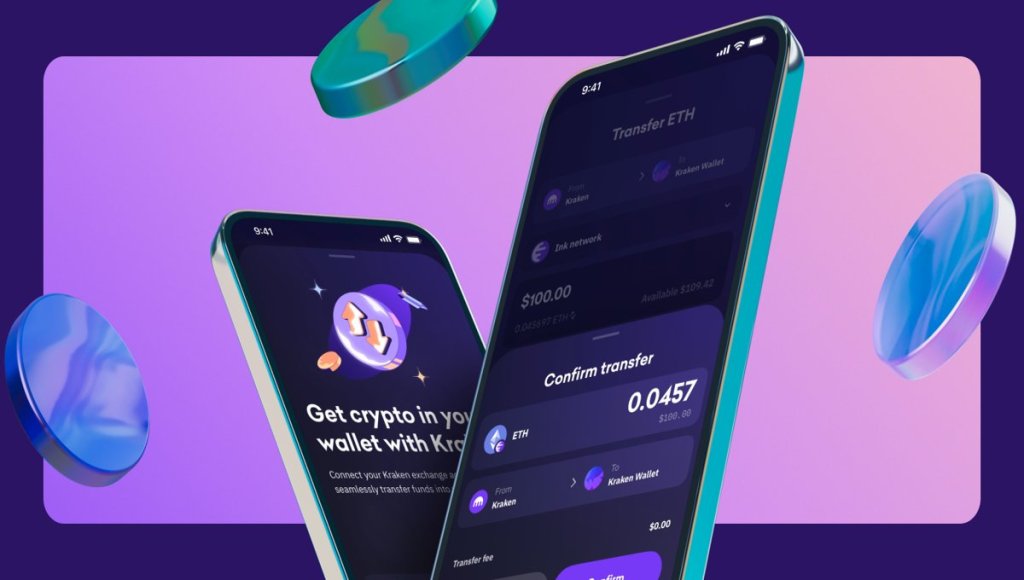
The biggest difference is custody: Kraken Exchange holds your crypto for trading, while Kraken Wallet lets you control the private keys yourself (via a seed phrase). In this Kraken wallet review, we focus on what it’s like to use in practice, how the recovery phrase works, and who it suits versus keeping funds on the exchange.
- Kraken Exchange is custodial. That means crypto held on the exchange is stored in Kraken-controlled wallets, and you access it through your account login. This setup is built for trading, fiat deposits, and quick order execution.
- Kraken Wallet is non-custodial and separate from the exchange. That means you control the private keys via a Secret Recovery Phrase (seed phrase), which Kraken does not know or control. It is designed for self-custody, DeFi, NFTs, and Web3 use cases.
Other Kraken products and how they differ
Beyond the core exchange and Kraken Wallet, Kraken also offers separate trading interfaces and region-specific derivatives products for more advanced use cases, including access to derivatives trading where it is supported.
- Kraken Pro is Kraken’s advanced trading interface. It uses the same underlying order books and liquidity as Kraken, but with a layout and tooling aimed at active traders.
- Kraken Desktop is a standalone desktop app for Mac, Windows, and Linux, aimed at active traders who want a customizable trading workstation experience.
- Kraken Futures and derivatives are offered through different setups depending on jurisdiction. Kraken notes that Kraken Pro Futures is available to non-US users, while Kraken Derivatives US provides access to CME futures for US clients.
Is Kraken Safe?
Kraken is generally considered a security-first exchange, but if you are asking is Kraken safe to use, safety is not just about features. It is also about track record, how incidents are handled, and how much control you have over account and withdrawal protection.
 In this Kraken review, our safest approach is to treat Kraken as a trading venue, enable every key security setting, and self-custody long-term holdings whenever possible.
Company track record and notable incidents
Kraken has operated since 2011, which matters because longevity in crypto usually means surviving multiple market cycles and attack waves. The most widely reported recent incident was in June 2024, when Kraken disclosed a critical bug in its funding flow that was exploited to withdraw around $3 million. Kraken and multiple reports stated the loss was related to Kraken’s treasury, and Kraken said client assets were not affected.
In practical terms, this is a positive and a warning sign at once. Positive because Kraken disclosed the issue and patched it. Warning because even large exchanges can have critical bugs, so your own account hardening still matters.
Security posture
From a platform security standpoint, if you are asking is Kraken secure, Kraken states it encrypts sensitive account information and uses custody security practices such as cold storage and controlled access. It also states it is ISO/IEC 27001:2022 certified and has completed a SOC 2 Type 1 examination, which are signals of more formalized security controls than many smaller exchanges. On the user side, Kraken supports multiple layers of authentication and lockdown options.
For example, withdrawal 2FA can require a code for withdrawals, and Global Settings Lock can help block critical setting changes even if an attacker gets past your sign-in. Kraken also requires confirming new withdrawal addresses via email, and notes that Global Settings Lock can prevent adding a new withdrawal address while enabled. Kraken publishes anti-phishing guidance and encourages users to verify URLs and avoid clicking login links in messages, which matters because phishing is still the most common cause of exchange account takeovers.
Privacy, data handling, and compliance reality
If you are asking is Kraken legit, part of the answer is how it handles identity and regulatory obligations. Kraken’s privacy notice states that it may disclose personal data to governmental, regulatory, or law enforcement authorities when required, and it describes cross-border processing of personal data due to global operations. On the technical side, Kraken’s separate tech privacy notice says it uses encryption for data at rest and in transit, and that access to personal data is restricted to those with a need to know.
KYC and AML checks
KYC is not optional on Kraken for normal use. Kraken’s support documentation says verification is required to use services and is similar to opening a bank account with supporting documents. Kraken also states that a KYC questionnaire is mandatory to gain access to its products and services, and that if you do not complete it, you cannot use services, though you may withdraw assets and close the account. In practice, that means you should expect identity checks before you can fully use the exchange and access higher limits, and you should also keep basic records in mind for tax compliance where applicable.
Are funds insured?
This is where many people misunderstand exchange safety. Kraken’s disclosures state that digital assets and Kraken accounts are not covered by FDIC or SIPC type insurance in the United States, nor comparable protections elsewhere.
Kraken also explicitly notes it is not a bank, and that exchanges do not qualify for deposit insurance programs for each client. So, if your main concern is insurance coverage, you should treat Kraken like most crypto exchanges: strong controls are available, but you still carry meaningful counterparty and account-security risk.
Key Features of Kraken Platform
Kraken is generally considered a security-first exchange, but if you are asking is Kraken safe to use, safety is not just about features. It is also about track record, how incidents are handled, and how much control you have over account and withdrawal protection.
 That is why we focus on the real-world safeguards you can enable and the clarity of Kraken’s security workflows, not just the marketing claims.
Kraken vs Kraken Pro: Two interfaces for two types of traders
Kraken gives you a simpler experience for buying and managing crypto, while Kraken Pro is the advanced interface with deeper trading tools and lower-fee oriented workflows. In our testing, the regular Kraken interface felt quicker for basics like checking balances, scanning markets, and placing straightforward buys.
Kraken Pro felt better the moment we wanted precision, like choosing specific order types and watching order books more closely. The downside is that switching between “standard” and “Pro” can confuse first-timers, especially because the layout and terminology shift. It is not a dealbreaker, but it is a small learning curve.
Advanced order types and a customizable trading layout
Kraken Pro is built around a modular trading layout and advanced order types, which helps active traders control entries, exits, and risk more precisely. In practice, we liked that the interface is widget-based, so you can keep the chart, order form, and order book where you want them and focus on the information you actually use.
Tooltips also help reduce the “where do I click” friction when you are learning. The realistic drawback is that advanced order types and dense screens can feel like overkill if you only want to DCA and chill. You can still do simple buys, but Kraken Pro rewards people who are willing to learn the workflow.
Kraken Desktop for workstation-style trading
Kraken Desktop is a dedicated desktop app that targets active traders with deep analysis tools, price alerts, and features like ladder trading. During testing, the “trading desk” vibe was the main benefit. It feels like a terminal-lite where you can keep everything persistent and organized, instead of juggling browser tabs.
Kraken highlights customization (modules, themes, sounds) and the ability to import or share dashboards, which is useful if you are building a repeatable setup. The downside is simple: it is another app to install and learn. If you are mostly on mobile or you are a casual spot buyer, Kraken Desktop can be unnecessary.
Staking and Auto Earn
Kraken offers staking and “Auto Earn” style rewards features on eligible assets, with options that can include flexible and bonded styles depending on the asset and region. In our testing, the biggest benefit was convenience. If you are already holding assets on the platform, enabling an earn option is much easier than moving funds around and managing multiple on-chain steps yourself. Kraken also publishes specific pages for staking, including newer products like BTC staking via the Babylon protocol with flexible and bonded modes.
Downsides to be clear about:
- Availability can vary by region and by asset.
- Bonded staking can involve lockups.
- Rewards are not guaranteed and there are standard staking risks (market risk, protocol risk).
So, it is a solid feature for passive holders, but it is not “free money” and it is not always the best choice for traders who need instant liquidity.
Trading APIs for automation and market data
Kraken provides APIs for spot and futures trading plus real-time market data feeds, which makes it viable for bots, dashboards, and automated strategies. From a practical standpoint, this is one of Kraken’s most “pro” features. If you are the kind of trader who wants to backtest, run alerts, auto-rebalance, or execute systematically, the API suite is a major plus.
Kraken also documents endpoints like placing orders through its REST API, which is helpful for developers building on top of the platform. The downside is that APIs are not beginner-friendly by default. You need basic engineering comfort, and you should treat permissions and keys seriously. A small setup mistake can be costly.
Institutional tools and the Kraken OTC desk
Kraken offers an OTC desk designed for large trades executed off the public order book, with RFQ style execution and institutional focused workflows. This matters if you are trading size and want to reduce slippage or avoid broadcasting your intent in the open market.
Kraken’s institutional pages describe OTC features like RFQ and note eligibility requirements, and they list a typical minimum order size (often cited at $50,000, with exceptions possible). Downside: for most retail users, OTC is irrelevant. If you are not trading in size, standard spot markets are simpler and usually sufficient.
Kraken mobile apps and day-to-day usability
Kraken’s apps aim to make basic actions fast, like buying, selling, placing custom orders, and checking daily market highlights. In our testing, mobile worked well for quick monitoring and simple execution when you are away from a desk.
The benefit is speed and convenience, especially for checking positions or making a quick adjustment. Downside: advanced workflows are still easier on desktop. You can trade actively on mobile, but most users will prefer Kraken Pro in a larger layout once they get serious.
Kraken Fees – Are They Competitive?
In our testing, Kraken’s fees are competitive if you use Kraken Pro (maker-taker pricing), but they can feel pricier if you stick to the “simple” Buy, Sell, Convert flow where spreads are baked into the quoted price. Kraken also avoids nuisance charges like account maintenance and inactivity fees, which is a plus if you are a more casual trader.
 Below is the real-world breakdown, including what you pay on Kraken Pro for spot and futures, where extra costs can appear (card funding, margin interest), and how total cost changes by product and funding method.
Kraken Pro spot trading fees (maker vs taker)
On Kraken Pro spot markets, fees start at 0.25% maker and 0.40% taker for the lowest 30-day volume tier, then drop as your 30-day volume increases.
| 30-day volume (USD) | Maker fee | Taker fee |
| $0+ | 0.25% | 0.40% |
| $10,000+ | 0.20% | 0.35% |
| $50,000+ | 0.14% | 0.24% |
| $100,000+ | 0.12% | 0.22% |
| $250,000+ | 0.10% | 0.20% |
| $1,000,000+ | 0.06% | 0.16% |
| $10,000,000+ | 0.00% | 0.10% |
| $500,000,000+ | 0.00% | 0.05% |
Kraken also publishes separate schedules for stablecoin, pegged-token, and FX pairs, which can be cheaper than the standard “Spot Crypto” schedule depending on the pair.
Kraken Futures fees
Kraken Futures starts at 0.0200% maker and 0.0500% taker at the lowest tier, with volume-based discounts as your 30-day futures volume rises.
| 30-day futures volume (USD) | Maker | Taker |
| $0+ | 0.0200% | 0.0500% |
| $25,000,000+ | 0.0100% | 0.0300% |
| $100,000,000+ | 0.0000% | 0.0200% |
| $250,000,000+ | -0.0030% | 0.0175% |
| $1,000,000,000+ | -0.0060% | 0.0135% |
Margin trading fees and interest
Kraken applies margin-specific fees on top of regular trading fees. In Kraken’s own examples, a BTC/USD long can be charged 0.025% (based on the borrowed USD), while a BTC/USD short example shows 0.010% (based on the borrowed BTC). Rollover begins after 4 hours, and rates can fluctuate with market conditions (but the rollover rate is locked when you open the position).
Kraken “Buy, Sell, Convert” fees (Kraken app and web)
This is where many users overpay. Kraken notes that Instant Buy style flows can include (1) a fixed trading fee and (2) an additional spread included in the price you see, with spread size varying by factors like volatility, asset, order size, and account activity. If someone mainly uses simple buys, Kraken+ can reduce the fee side:
- Kraken+ offers zero trading fees on up to $10,000/month (or local equivalent) when using Buy, Sell, Convert, and Recurring purchases on Kraken app/web.
- Spreads and card processing fees still apply, so it is not truly “free” execution.
Card purchase fees (quick buys)
If you buy crypto using a payment card, Kraken’s cash funding table shows a $0.25 + 3.75% fee for USD debit card deposits (and the EUR table mirrors this as €0.25 + 3.75%). This is fast, but it is one of the most expensive ways to fund.
Fiat deposits and withdrawals (USD and EUR examples)
Kraken’s fiat funding costs depend heavily on method and region. Bank transfer rails are often cheap, cards are not.
| Currency | Direction | Method / Provider | Minimum | Fee | Processing time | Notes |
|---|---|---|---|---|---|---|
| USD | Deposit | ACH (Plaid) | 1 USD | Free | Near-instant | 7-day withdrawal hold |
| USD | Deposit | FedWire (Dart Bank) | 1 USD | Free | 0-1 business day | |
| USD | Deposit | SWIFT (Bank Frick) | 4 USD | 3 USD | 1-5 business days | |
| USD | Withdrawal | ACH | 1 USD | Free | 0-2 business days | |
| USD | Withdrawal | FedWire | 20 USD | 4 USD | 0-1 business day | |
| USD | Withdrawal | SWIFT (Bank Frick) | 100 USD | 13 USD | 1-5 business days | |
| EUR | Deposit | SEPA / SEPA Instant (multiple providers) | 1 EUR | Free | 0-3 business days or instant | |
| EUR | Deposit | SWIFT (Bank Frick) | 4 EUR | 3 EUR | 1-5 business days | |
| EUR | Withdrawal | SEPA (Bank Frick / Banking Circle) | 2 EUR | 1 EUR | 0-5 business days | |
| EUR | Withdrawal | Instant SEPA | 2 EUR | 1 EUR | Near-instant | Some rails show 0.90 EUR with a 3 EUR minimum |
| EUR | Withdrawal | SWIFT (Bank Frick) | 100 EUR | 5 EUR | 1-5 business days |
Crypto deposits and withdrawals
Kraken describes crypto withdrawals as having a withdrawal fee to get the transaction onto the blockchain, and notes crypto deposits are mostly free (with some exceptions). In practice, the exact crypto withdrawal fee varies by asset/network and is shown before you confirm the withdrawal.
So, are Kraken’s fees actually “competitive” vs other exchanges?
For active traders, Kraken Pro spot fees (0.25%/0.40% at entry tier) are in the same ballpark as other regulated, mainstream venues, and can become very sharp at higher volume. Binance’s headline spot rate is often 0.10%/0.10% for regular users, which is lower at the entry level.
Coinbase’s Advanced pricing is commonly described as up to 0.40% maker / 0.60% taker depending on 30-day volume, so Kraken Pro is often cheaper at the low end on maker, and competitive overall depending on how you trade. The big takeaway we would state plainly in the review: Kraken Pro is where Kraken becomes a low-fee exchange. The “simple buy” flow is for convenience, not tight execution.
Kraken Experience: Is it Easy to Use?
Kraken is fairly easy to start with if you use the main Kraken app, and many users ask, ‘is Kraken reliable?’ In our experience, it is for day-to-day trading once your account is fully verified. We reviewed Kraken’s official onboarding flow and learning resources, then cross checked usability and pain points using large sets of user feedback on Trustpilot and the app stores.
 In this Kraken review, one thing we noticed is that the experience feels much smoother after KYC is fully cleared and your funding method is confirmed, because that is when most common holds and limits stop getting in the way.
Account setup: how fast can you get trading?
Creating an account is straightforward, but verification can add friction depending on your documents and region. Kraken’s app flow starts with creating an account (email, password, country), then moves into identity checks to unlock full functionality.
Kraken’s Support Center also has a dedicated Getting Started hub, which is helpful if you are new and want a clear checklist for funding and first trades. Users who are impatient with KYC style steps are the most likely to find onboarding annoying, especially if a deposit or address check is paused for review.
Interface and performance on desktop
On desktop, the usability depends on which product you choose. Kraken’s standard experience is simpler, while Kraken Pro is built for active trading with a more advanced layout. If you want an even more workstation-style setup, Kraken Desktop is a dedicated app designed for active traders, with features like custom alerts, advanced order types, and ladder trading. The pro tools are strong, but the platform can feel less beginner-friendly because there are multiple entry points and interfaces to learn.
Mobile apps: powerful or watered down?
Kraken’s mobile experience is not just one app. Kraken officially offers multiple apps (including Kraken and Kraken Pro), and Kraken Pro is positioned as a mobile-first advanced trading app. User ratings suggest most people are happy with the core Kraken iOS app experience (4.7 out of 5 from about 25K ratings), while Android ratings are more mixed (Kraken app 3.9 stars on Google Play).
Kraken Pro’s Android rating is stronger (4.6 with about 45K reviews), and reviews commonly mention lower fees and a cleaner trading interface, but some users report performance glitches or chart UI issues on certain devices. One practical limitation to note: Kraken’s support docs say the Kraken Pro app is not compatible with Trading 2FA or API 2FA, which can matter for some advanced setups.
Getting started resources: do they help beginners?
Kraken has a strong library of educational content and a structured Support Center, which makes the learning curve easier than exchanges that leave you to figure things out alone. Kraken Learn covers trading basics, concepts, and glossary style explainers, while Support focuses on setup, funding, and troubleshooting.
What do real users complain about most?
The biggest complaints are usually not about the buttons and charts. They are about account holds, verification friction, withdrawal delays, and fee confusion when using instant buy style flows. On Trustpilot, Kraken’s profile shows a TrustScore of 2.5 out of 5 based on 3,793 reviews, with a very heavy skew toward 1-star reviews (76%).
Reading recent examples, many negative reviews mention deposits being held pending address or account checks, plus frustration with support or turnaround time. Review sites often overrepresent worst-case experiences, while app store ratings can overrepresent users who mainly focus on the app UX. The truth is likely in the middle: Kraken’s UI is solid, but compliance checks and account flags can create a rough experience for a subset of users.
Do they have browser extensions?
Kraken’s official product lineup focuses on its web platform and official apps (Kraken, Kraken Pro, Desktop, Wallet). We did not find an official Kraken trading browser extension. Be careful here because there are unrelated browser extensions named “Kraken” in extension stores that are not connected to the exchange.
Kraken vs Competition: What Are the Alternatives?
The comparison table below makes it easier to assess the best exchange for your needs, based on fees, use case, and standout features. Use it to quickly match the right platform to your trading style and priorities.
| Platform | Top Choice For | Fees | Standout Features |
| Kraken | Security minded spot trading plus advanced tools for long term holders and active traders | Kraken Pro spot starts at 0.25% maker and 0.40% taker (tiered by 30 day volume)
Instant Buy uses a fixed 1% trading fee plus spread |
Transparent Pro fee tiers and maker taker pricing
Futures fee schedule published and volume tiered Strong product suite (Kraken, Pro, Desktop, Wallet) |
| OKX | Lower baseline spot fees and a broad set of trading products depending on region | Spot fee example shown by OKX: 0.08% maker and 0.10% taker (tiered) | Competitive spot fee table with VIP tiers
Broad product range for active traders Strong tools for frequent trading workflows |
| Bybit | Active traders who want a strong derivatives focused platform | Base VIP 0 spot (crypto crypto) listed as 0.10% taker and 0.10% maker (tiered) | Derivatives focused fee tiers and tooling
Multiple VIP levels with discounts Strong trading interface options for active users |
| Binance | High liquidity and broad market coverage for frequent traders | Regular user spot fee shown as 0.10% maker and 0.10% taker (tiered) | Large ecosystem with many market options
Tiered fee schedule with potential discounts Deep liquidity on many major pairs |
| KuCoin | Traders who want a wide selection of markets and built in trading tools | KuCoin notes many pairs use a 0.10% maker and 0.10% taker baseline (varies by pair) | Tiered program and fee reductions (pair and level dependent)
Broad market selection (availability varies by region) Useful built in tools for active trading |
Kraken is a strong choice if you want a security-first exchange with a clear Pro fee schedule and a mature product lineup that scales from beginner buys to active trading. Its main advantage versus many competitors is the balance between usability and pro grade tooling, without forcing you into a single interface.
Key reasons to choose Kraken over competitors
Clear maker taker fee tiers on Kraken Pro for active traders
A broad, cohesive suite (Kraken, Kraken Pro, Desktop, and Kraken Wallet)
A reputation built around security controls and account protection options
Who should avoid it?
If you only plan to use Instant Buy style trades, you should compare total costs carefully because Kraken applies a fixed 1% trading fee plus spread on that flow. In that case, a pure low fee spot interface on another platform may be more cost efficient for frequent buys.
Kraken Real User Reviews and Experience
Beyond our own hands-on testing, we checked recent feedback on third-party review platforms (Trustpilot and G2) plus community reports on Reddit. Overall, the themes we saw there broadly matched our experience: strong usability for day-to-day trading, but occasional friction around verification, account reviews, and support timelines.
 In this Kraken review, the biggest difference we noticed is that users who stick to basic spot trading tend to be happier, while people who hit compliance checks or urgent support needs report the most frustration.
Where we looked (and why it seemed legit)
We focused on reviews that show dates, consistent detail, and repeatable patterns across multiple sources. On Trustpilot, many reviews are labeled “Invited,” and Kraken’s profile shows a large review volume. On G2, reviews are collected and hosted by the platform. On Reddit, we used recent posts in Kraken-focused support communities to understand common edge cases.
What people praise most
The most consistent positives across review sources are interface clarity, ease of buying and selling, and a general perception that Kraken feels reliable over long-term use. We also saw multiple reviewers say that when support does respond, the answers are practical and the issue can get resolved. Another frequent positive is “getting started” simplicity. Even on mixed-rating profiles, there are reviewers calling out easy onboarding and straightforward navigation once the account is active.
One common complaint (that is not a dealbreaker)
A recurring “not perfect but acceptable” theme is support speed: some users say it can take time to get help, but that the issue is resolved once the case is moving. This lines up with our view that Kraken feels robust day to day, but compliance and support queues can affect the experience in edge cases.
What people complain about most (and what it usually means)
The most frequent negatives are about account restrictions, funding holds, and delays tied to verification or reviews. On Reddit, similar complaints often show up as “account restricted” or “funding suspended” situations, typically with users waiting for an internal review or a compliance response.
This does not automatically mean the platform is unsafe, but it does mean you should expect occasional friction if your account triggers extra checks. Practically, the best way to reduce headaches is to keep your KYC details consistent, avoid risky funding behavior (like chargeback-prone card activity), and use clear bank transfer rails when possible.
Summary: what real users suggest about Kraken
Kraken’s real-world reputation looks “polarized” on some review sites, but the underlying patterns are consistent across sources:
- Best feedback: clean interface, reliable trading, and generally solid usability once set up.
- Most common friction: verification, account reviews, and support wait times during edge cases.
- Overall takeaway: a good fit for users who value a mature platform and can tolerate occasional compliance-related delays.
How To Start on Kraken in 6 Easy Steps
If you are new to Kraken, the fastest way to get up and running is to treat setup like a checklist. In our experience, most “issues” happen when people skip verification, fund using the wrong method, or jump into the Pro interface before they understand basic order types.
1. Create your Kraken account
In our experience, the smoothest start is creating an account from the official Kraken website or the official mobile app, then confirming your email right away.
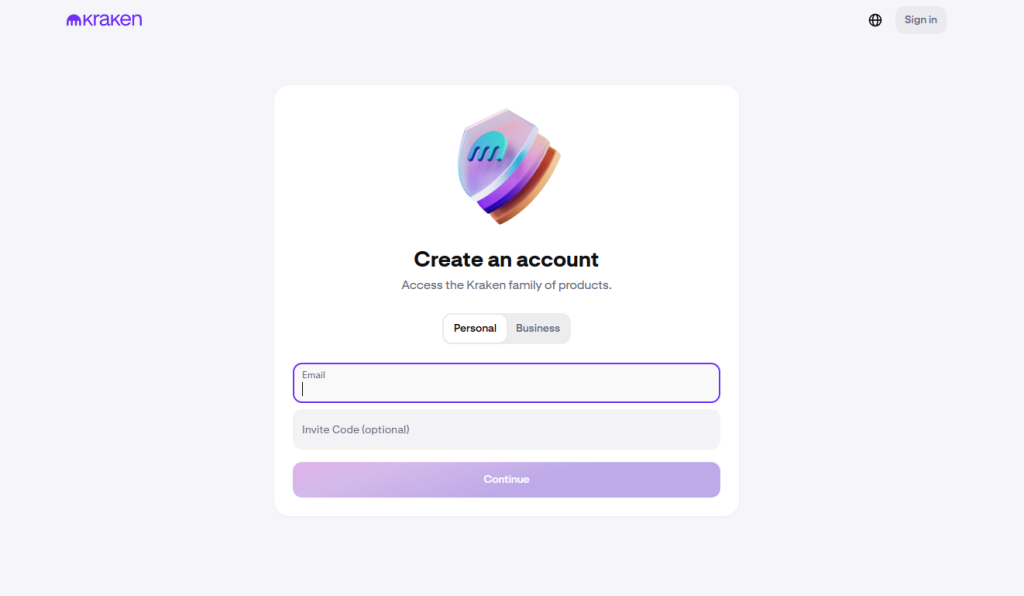 Choose a strong password and store it in a password manager if you use one.
2. Complete identity verification (KYC)
In our experience, doing verification early prevents the most common friction later (limits, funding holds, or withdrawal delays).
 Have your ID ready, follow the prompts, and make sure your personal details match the documents exactly.
3. Secure your account before funding
Before you deposit anything, we recommend setting up your core security basics. In our experience, the best order is: enable 2FA for sign-in, review withdrawal protections, and double-check your email security.
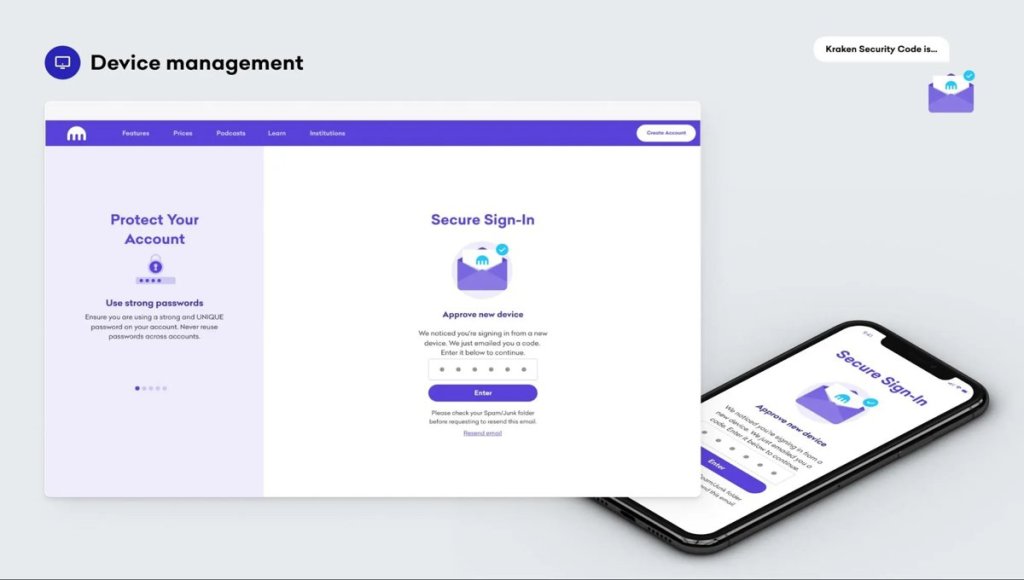 This takes minutes and can save you real pain later, especially because most account takeovers start with email compromise or weak login protection rather than “hacking” the exchange itself.
4. Add funds (fiat or crypto)
In our experience, bank transfer rails are usually the cleanest option for larger amounts, while card purchases are faster but typically cost more.
 Choose a funding method, follow the instructions carefully, and wait for the status to confirm the funds are available.
5. Place your first trade (Kraken vs Kraken Pro)
For a first trade, our experience is that the standard Kraken flow is the simplest. If you want tighter fees and more control, switch to Kraken Pro and place a limit order instead of a market order.
 Start small, confirm the total cost, and check the final order summary before submitting.
6. Withdraw to a wallet (optional, but recommended for long-term holding)
If you are planning to hold long term, in our experience it is safer to self-custody rather than keeping everything on an exchange. Add your withdrawal address carefully, double-check the network, and send a small test transaction first. If you are using Kraken Wallet or another non-custodial wallet, write down your recovery phrase offline and store it securely.
Kraken Review Verdict: Is It Legit?
Yes, Kraken is a legitimate crypto exchange with a long operating history and a product lineup that works for both beginners and active traders. This Kraken review highlights that it performs best when you use Kraken Pro for spot trading, because the maker-taker pricing is clearer and you get more control over execution than with one-click buys.
From our testing, Kraken’s key strengths are its split experience (simple Kraken for basics, Pro for active trading), a solid set of trading tools and order types, and a broader suite that includes Kraken Desktop and Kraken Wallet for users who want a different workflow or self-custody. It is best for security-minded users who mainly trade major coins, want a mature platform, and are willing to learn the difference between simple buys and Pro fees.
Against alternatives, Kraken Pro fees are generally competitive, but simple buy flows can cost more once spread is included, so fee-sensitive users should compare total costs before committing. DYOR. This content is for educational purposes only and is not financial advice. Crypto is volatile, and you can lose money.
FAQs
1. How safe is Kraken?
Kraken is generally viewed as a security-first exchange, with features like 2FA options, withdrawal protections, and cold-storage practices for a large portion of funds. That said, no exchange is risk-free. Your safety also depends on using strong account security (2FA, unique password, secure email) and understanding that crypto balances on exchanges are not protected like bank deposits. DYOR.
2. Is Kraken a scam?
In this Kraken review, people often ask is Kraken a scam, and it is not typically considered one. Most ‘scam’ concerns come from phishing, fake apps, or users getting stuck in verification and account reviews. Use only official Kraken apps and URLs, and never share 2FA codes or wallet recovery phrases.
3. Can I use Kraken in the US?
Yes, Kraken is available in the United States, but products and features can vary by state and by regulatory rules. Some services, such as certain derivatives offerings, may be limited for US users. Always check the product availability list in your account and Kraken’s official support pages for your specific state before funding or trading.
4. Does Kraken have high fees?
It depends how you use it. Kraken Pro’s maker-taker fees are generally competitive for active trading, especially at higher volume tiers. However, the simple Buy, Sell, Convert flow can be more expensive because it includes a fixed trading fee and spread. If you trade often, using Kraken Pro and limit orders can reduce total costs.
